EdgeContinuity
| Toolbar | Menu |
|---|---|
|
|
Analyze Surface > Edge Continuity |

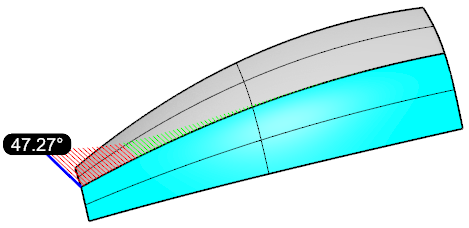
The EdgeContinuity command evaluates how well two surface edges meet position (G0), tangency (G1), and curvature (G2) tolerances. It provides visual feedback in the viewport and lets you adjust the display parameters and required tolerances.
Steps
-
Select two edges to evaluate.
-
Set options in the Edge Continuity panel.
 Edge Continuity Panel
 Add edge pair
Selects a pair of edges to analyze.
 Remove edge pair
Removes a pair of edges from the analysis.
 Remove all edge pairs
Removes all evaluated edge pairs from the analysis.
 Help
Help
Open the help topic.
 Toggle Edge Continuity Display
Show or hide edge continuity analysis display on evaluated objects.
Evaluate
Choose the continuity level to analyze:
G0 - Positional continuity (edge distance).
-
The decimal places of distance deviation is controlled by Document Properties > Units > Display precision. (Decimal-only)
G1 - Tangent continuity (direction match).
G2 - Curvature continuity (curvature smoothness).
-
This option displays absolute and relative (in parentheses) deviations.
Absolute curvature deviation = (1/Radius1)-(1/Radius2)
Relative curvature deviation = (Radius1-Radius2)/(Radius1+Radius2)
Display Settings
Controls how the analysis is visualized.
Distance / Tangency / Curvature scale
Adjusts the scale factor of the deviation hairs for the selected continuity type (G0, G1, or G2). Increasing the scale factor exaggerates the hairs, making small deviations easier to see.
Sample Count
Sets how many points are evaluated along the edge pair.
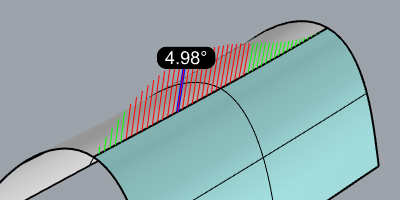
Pass ■ / Fail ■ / Max ■ colors
Defines the colors used to show where the edge pair falls within tolerance (Pass), exceeds tolerance (Fail), or reaches the worst deviation (Max). Click the color swatches to customize the colors.
Show Labels
Displays a label to mark the location of the maximum deviation.
Tolerances
Threshold values used to judge whether the edge continuity passes or fails.
Distance (G0)
Maximum allowed positional deviation in model units.
Tangency (G1)
Maximum tangent-angle deviation in angle degrees.
Curvature (G2)
Maximum curvature deviation. The reciprocal of radius (in model units) for absolute curvature, and a ratio for relative curvature.
See also

GlobalEdgeContinuity

Analyzes G0, G1, and G2 continuity between multiple surfaces and displays interactive visual feedback for evaluation.

CrvDeviation
Report the maximum and minimum distances between two curves.

CurvatureAnalysis
Evaluate surface curvature using false-color analysis.

Zebra
Visually evaluate surface smoothness and continuity using a stripe map.