MeshSelfSplit
|
Toolbar |
Menu |
|---|---|
|
|


The MeshSelfSplit command divides meshes into parts at their self-intersections.
-
To see where a mesh intersects itself before splitting, use the MeshSelfIntersect command.
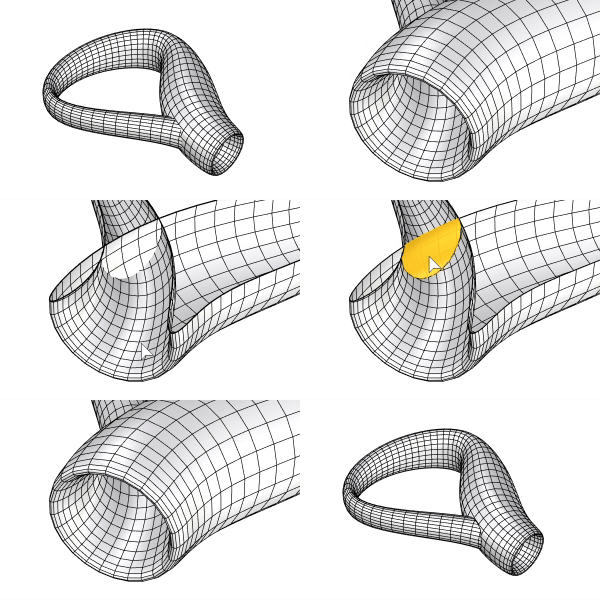
Steps
-
Select meshes.
-
Set command-line options.
-
Press Enter.
Each mesh is split only with itself.
Command-line options
Tolerance
Auto
Uses a tolerance that is more suitable for well-drawn meshes created using document tolerances. The value is computed using heuristics.
Literal
Uses document tolerances. This might not be the best value because meshes often have tiny features that might fall well below the document tolerance.
CoplanarFaces
Keep
Uses coplanar overlaps in the computing of split.
Drop
Discards coplanar overlaps.
CreateNgons
Keeps the split mesh neat by creating Ngons along the splitting edge.
DiscardUnsplitMeshes
Yes
If a mesh cannot be split into multiple parts, the mesh is not changed.
No
Edges are added along the intersections, even if the mesh is not split into multiple parts. This can create non-manifold edges.
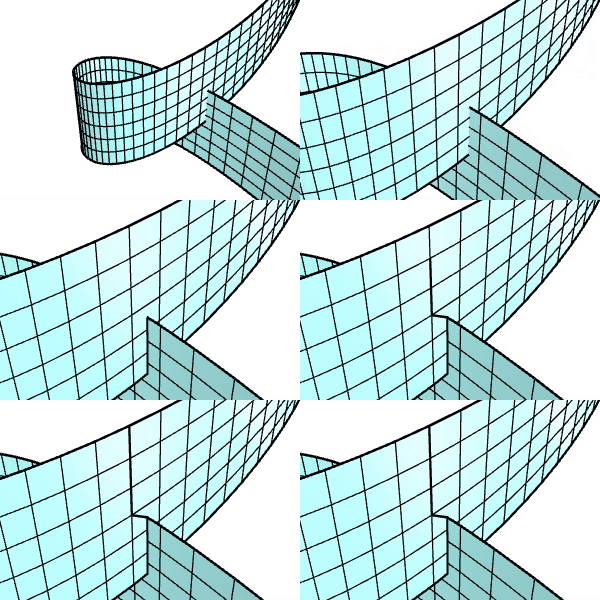
CompleteOpenCuts
Extends incomplete intersections to force splitting the mesh into separate parts.
See also

MeshSplit
Divide meshes into parts with another object.

MeshSelfIntersect
Creates polylines from self-intersections of mesh objects.

MeshBooleanSplit
Split and close objects at intersections.