ReduceMesh
| Toolbar | Menu |
|---|---|
|
|
Mesh Edit Tools > Collapse > Reduce Vertex Count |

The ReduceMesh command decreases the polygon mesh face count while minimizing geometric and texture distortion.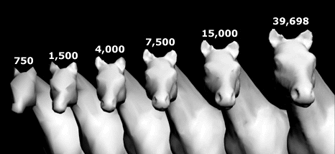
Note
- The mesh is first triangulated, its polygon count is reduced, and the resulting triangular mesh is quadrangulated again.
- Nonmanifold meshes (meshes whose edges are shared by more than two faces) may produce undesirable results in some cases.
Steps
- Select mesh objects.
- Set the mesh reducing options.
Reduce Mesh Options
Starting polygon count
The number of triangle polygons in the input mesh. Each quadrilateral face counts as two triangle polygons
 Reduce to ___ polygons
Specifies the target number of polygons for the reduced mesh.
 Reduce by ___ percent
Specifies the percentage by which to reduce the starting polygon count.
Planar only
Reduces the mesh by simplifying coplanar faces without changing the mesh shape.
Locked mesh points
ReduceMesh command lets you lock mesh points. Reduction will not alter those points.
 Show
Show
Highlights locked mesh points.
Adds selected mesh points to the set of locked mesh points.
Use SelBrush to select or deselect points.
Removes selected mesh points from the set of locked mesh points.
Undoes previous operations.
Adds mesh points on naked edges to the set of locked mesh points.
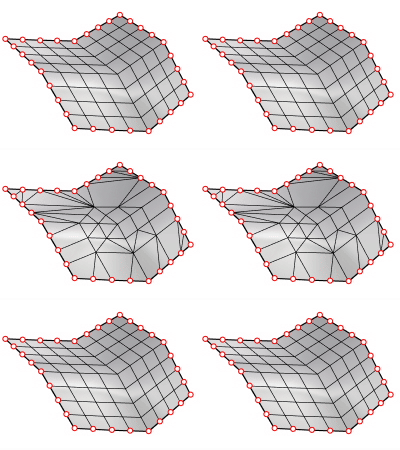
Displays a preview of the output.
If you change the settings, click the button again to refresh the display.
To access hidden command-line options
- Type a hyphen in front of the command name: -ReduceMesh.
| Command-line options | |
|---|---|
Accuracy |
1=FastTrades accuracy for speed during conversion. Reduction is performed more randomly, involving fewer calculations, and is therefore faster. 10=AccurateProduces the fewest visible artifacts. This involves more calculations and is therefore slower. Note: This option does not affect the dialog version. The dialog version always uses 10 for max accuracy. |