IPlane (InfinitePlane)
| Toolbar | Menu |
|---|---|
|
|
|


The IPlane command creates a planar surface on the specified plane and uses all geometry in the model space to determine how far the surface extends. When used inside another command, it creates a temporary pseudo-infinite plane as an input object.
Steps
- When prompted, choose a command-line option to specify the plane using different methods.
To use an infinite plane as input for commands
-
Anytime you are prompted for a surface, type IP, IPlane, or InfinitePlane.
The InfinitePlane option offers a way to intersect any plane (extended to infinity) with objects to return curves or points. This includes construction planes, planar surfaces geometry, and planes defined on-the-fly.
Command-line options
Different ways to define an infinite plane.
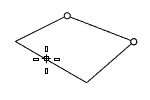
3Point
Draw a rectangle using two adjacent corner locations and a location on the opposite side.
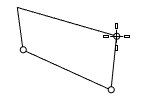
Vertical
Draw a rectangle perpendicular to the construction plane.
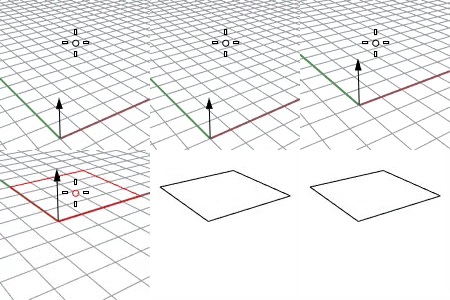
ThroughPoint
Pick a point to set a plane parallel to the current construction plane.
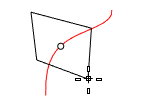
AroundCurve
Draw a rectangle perpendicular to a curve.
NamedCPlane
Use a Named CPlane.
SelectInViewport
Select a Named CPlane axis icon in the viewport.
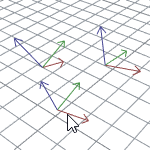
SelectFromList
Select a Named CPlane from the list.
CPlaneXY / CPlaneYZ / CPlaneZX
Use the XY / YZ / ZX plane of the current construction plane.
WorldXY / WorldYZ / WorldZX
Use the XY / YZ / ZX plane of the world coordinate system.