ArrayCrvOld
|
Toolbar |
Menu |
|---|---|
|
|



The ArrayCrvOld command copies objects spaced along a curve.
Steps
- Select objects to array.
- Select a path curve near the end where you want the array to start.
Or
Use the Basepoint option. - Specify the number of elements to array or the spacing distance along the curve.
- Type a value of 1 or more for the number of elements.
Command-line options
Basepoint
When the object to be arrayed is not on the curve and should be moved to the curve prior to the array, the Basepoint option establishes a reference location that will be move to the curve.
Items
The number of items array along the curve.
Distance
The distance between items. The number of items is determined by the length of the curve.
Orientation
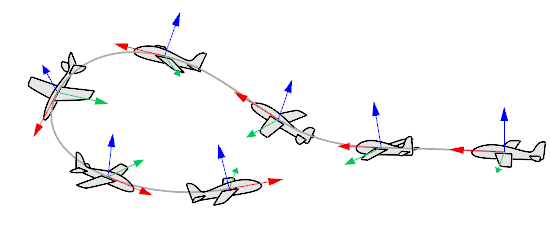
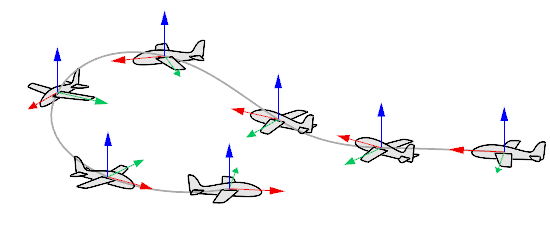
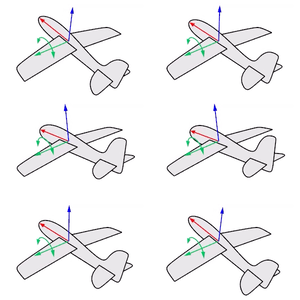
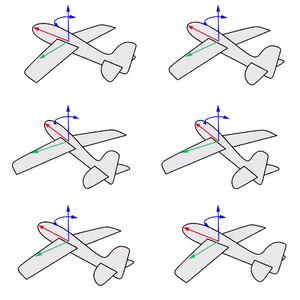
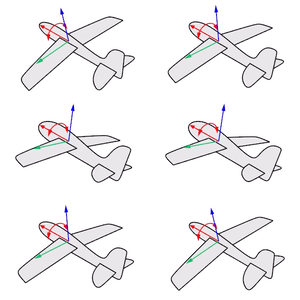
Think about an airplane. An airplane may Roll, Pitch, or Yaw when it flies in the air. The orientation styles control how the object rolls, pitches, or yaws when it arrays along a curve.
|
|
|
|
|
Roll rotates around the x-axis.
|
Pitch rotates around the y-axis.
|
Yaw rotates around the z-axis.
|
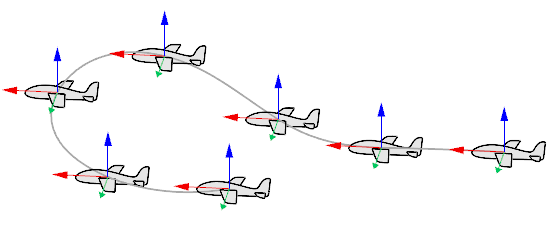
NoRotation
The object does not roll, pitch, or yaw. It is only copied to different locations on the curve.
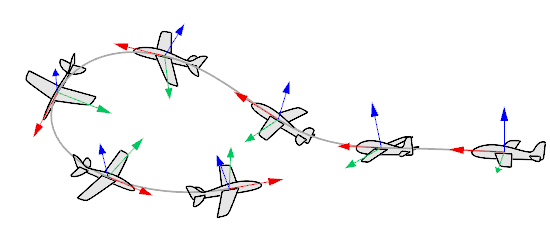
Freeform
The object rolls, pitches, and yaws at the same time along the curve.
Roadlike
The object pitches and yaws but does not roll. The y-axis (green) is always parallel to the CPlane of the selected viewport.