RotateView
| Toolbar | Menu | Shortcut |
|---|---|---|
|
|
View Rotate Viewport Title Zoom, Pan, and Rotate > Rotate View |

|

The RotateView command rotates the view camera.
Command-line options
Angle
Sets the rotation angle used by the Down, Left, Right, and Up options.
The default rotation angle is 6 degrees.
Down
Rotate the view camera down.
Left
Rotate the view camera left.
Right
Rotate the view camera right.
Up
Rotate the view camera up.
View rotation with mouse
To rotate view around view center
-
Drag with the right mouse button.
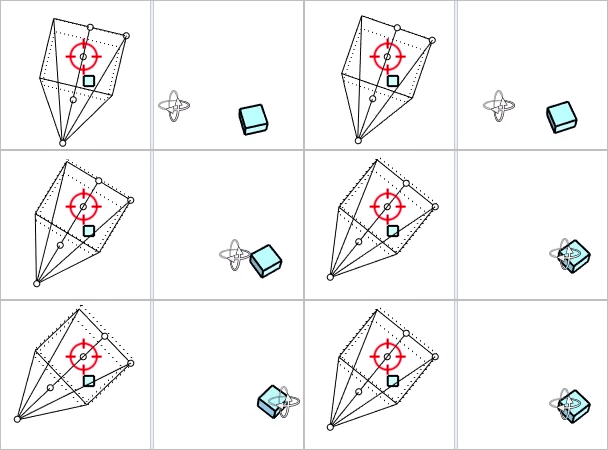 The rectangular cone on the left represents the view camera of the right viewport.The right view rotates around the target point of its view camera.
To rotate view around object
-
Move the mouse cursor to an object.
-
Ctrl(CMD) + Shift + drag with the right mouse button.
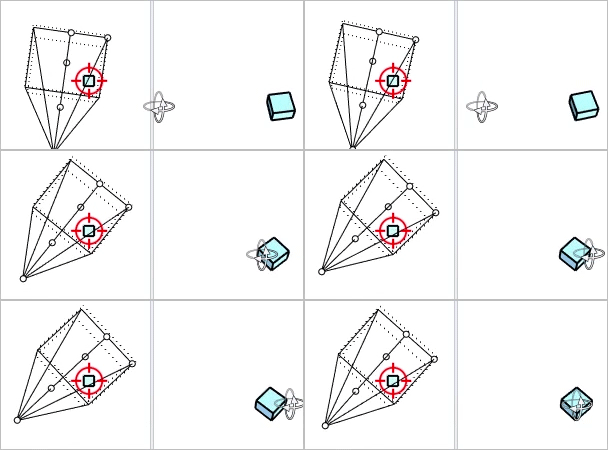 The right view rotates around the object.
To force rotating parallel view
-
Ctrl(CMD) + drag with the right mouse button.