ExtrudeSrf
| Toolbar | Menu |
|---|---|
|
Extrude Solid
|
Solid Extrude Surface> Extrude Surface to Boundary> Straight |

The ExtrudeSrf command creates a solid by tracing the path of the surface edges in a straight line.
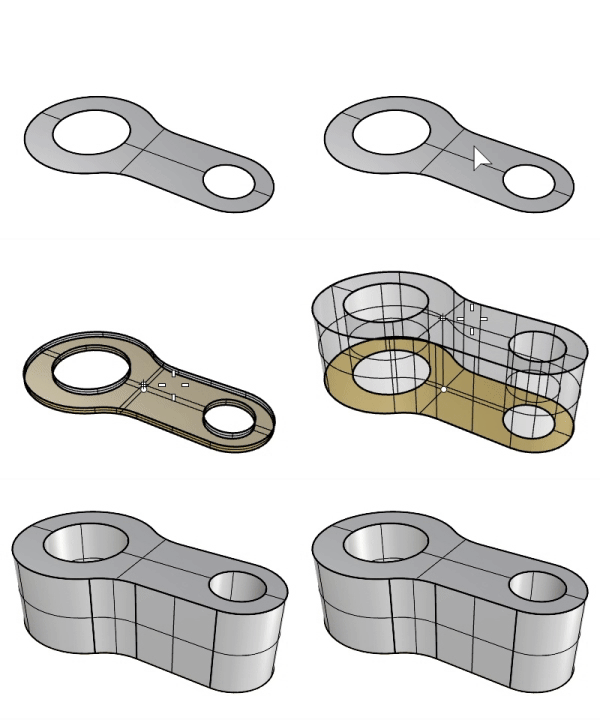
Steps
-
Select a surface.
-
Typing "0" sets the extrusion distance by snapping to the current CPlane origin.

To snap to the world origin, you can type w0.
- A planar surface extrudes vertically to the surface plane by default. If the surface is not planar, the default extrusion direction is the z direction of the active CPlane.
-
The extrusion preview direction in the viewport defines the positive direction for distance input.
Command-line options
Direction
Two points establish the direction angle.
Direction steps
- Pick a base point.
- Pick a second point that establishes the direction angle.
BothSides
Draws the object on both sides of the start point, creating the object twice as long as you indicate.
Solid
If the profile curve is closed and planar, both ends of the extruded object are filled with planar surfaces and joined to make a closed polysurface.
DeleteInput
Controls whether the original geometry is deleted.
 DeleteInput=No supports History.
ToBoundary
Extrude the object to a boundary surface.
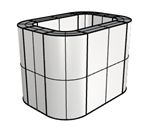
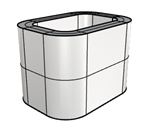
SplitAtTangents
Controls whether tangent points on the input surface boundary are extruded as joined edges or as surface kinks on the side surfaces.
SetBasePoint
Specify a location that serves as the first point when picking two points that set the extrusion distance.