 Where can I find this command?
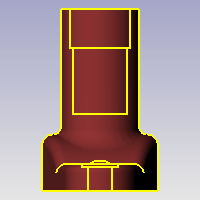
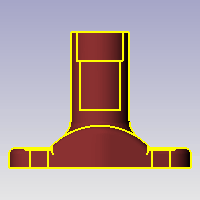
The Silhouette command creates outline curves from a selected surface, extrusion, or polysurface object.
Steps
Select a surface or polysurface.
Note
| ● | When you are looking at a model, the visual edge of the model is where the model stops and the background begins. This visual edge is sometimes called the silhouette or horizon of the model. |
| ● | The silhouette direction is based on the current view. For example, if you look at a doughnut from the top, the silhouette is two circles. If you look at a doughnut from the side, the silhouette is an oval. |
Tip: To create two-dimensional curves from the silhouettes, use the ProjectToCPlane command.
See also
Create curves from other objects
Rhinoceros 5 © 2010-2015 Robert McNeel & Associates. 17-Sep-2015

